Employee records & onboarding
Keep employee details, documents, departments, designations, joining tasks and offboarding steps together.
JASO HR / OUR HRMS SAAS
Employee records, attendance, leave, expenses and payroll—together with field-sales workflows for pharma and distributed teams.
WORKFLOW EXPLORER
Employee records → Attendance → Payroll
Employee information stays attached to the right person.
INSIDE JASO HR
Explore territory management, visit records and field reporting. These screens use fictional demonstration records.
JASO HR is available for paid rollouts. One 10-person customer team is currently using it on a free trial.
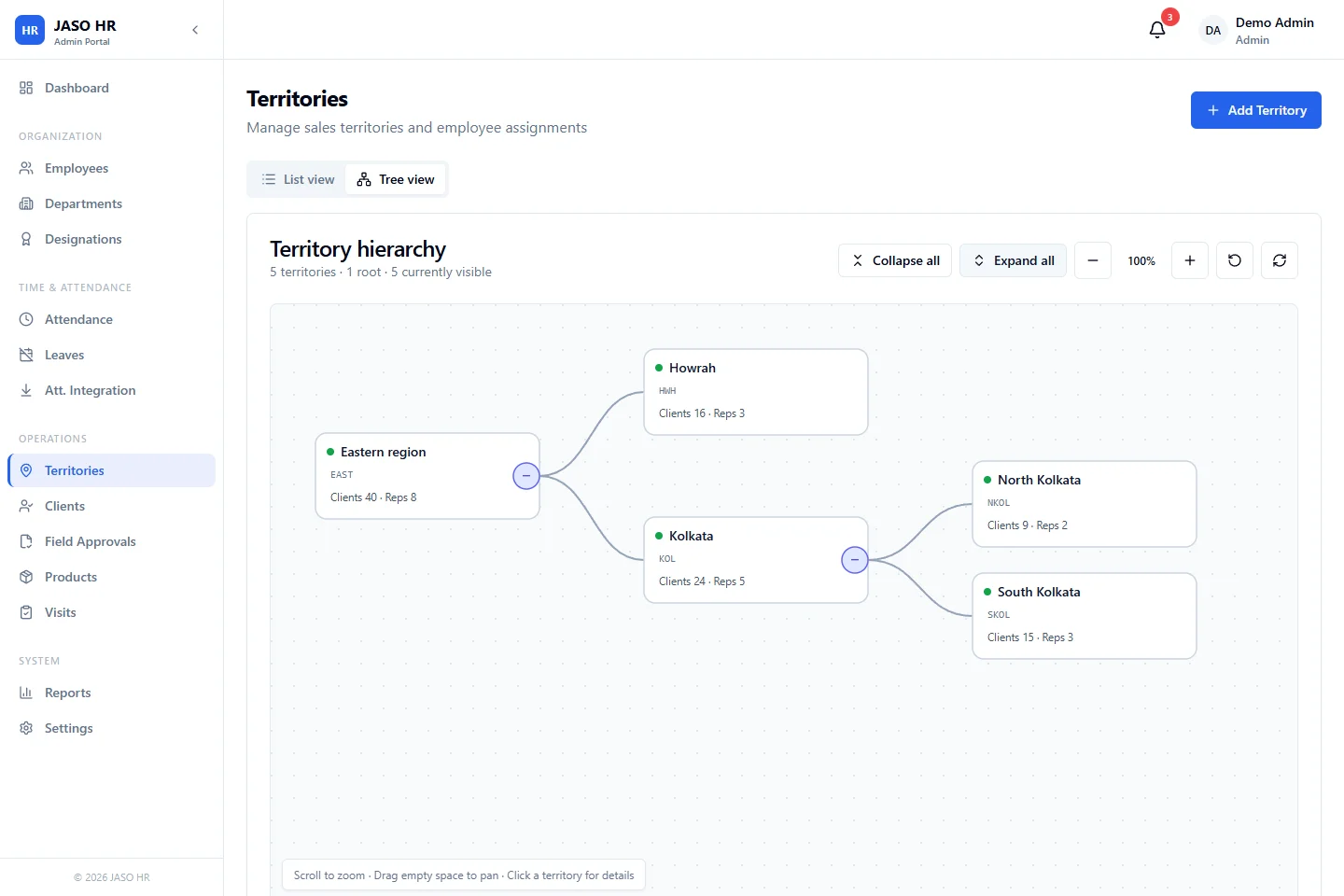
The portal shows territories as a hierarchy, with clients and employee counts attached to each territory. Start by agreeing responsibility and the client records that belong to each area.
01 / THE HR FOUNDATION
Start with the modules your team needs now. Confirm the rules, permissions and rollout priorities in a product walkthrough.
Keep employee details, documents, departments, designations, joining tasks and offboarding steps together.
Configure shifts and attendance rules, manage leave requests, and support location-aware mobile check-ins.
Organize territories, doctors and trade clients, field visits, product activity, approvals and coverage.
Give employees a clear claim process and managers a reviewable approval trail instead of scattered messages.
Set up salary structures, prepare payroll runs and publish payslips from records already inside the HRMS.
Review workforce and field activity with role-based access, exports, audit logs and configurable company settings.
02 / PHARMA & FIELD TEAMS
A rep’s attendance is only the start of the day. Connect territory ownership, doctor and trade-client visits, exceptions and coverage so managers can see what needs attention.
Assign teams to structured territories and keep coverage responsibility clear.
Maintain doctors, chemists, stockists, chamber locations and approved product information.
Record visits with location evidence and flag radius or chamber-time exceptions for review.
Review visit exceptions plus requests for new doctors, locations and product activity.
See visit activity, client coverage, territory movement and product-level reporting.
Reps can find nearby clients, record visits and submit updates from the mobile app.
03 / WORK AWAY FROM THE DESK
Employees can handle routine requests and field updates from the mobile app. In the walkthrough, we’ll check the devices, permissions and workflows your team will actually use.
04 / GETTING STARTED
Bring an employee, attendance or field-sales example. Check the product against that workflow.
Agree the modules, rules, access roles and data you need to bring across.
Test representative tasks with the people who will use and approve them.
Agree training, rollout and support responsibilities before the team starts using it.
Check local payroll, employee-data responsibilities and the way your team works before agreeing a rollout.
BEFORE THE WALKTHROUGH
No. It supports office and distributed teams. Alongside standard HR workflows, its field-sales tools cover territories, doctors and trade clients, mobile visits, approvals and coverage reporting—especially useful for pharma and other field-led businesses.
Yes. The setup can be shaped around your current priorities, such as employee records and attendance first, then expenses, payroll or field sales. The walkthrough is used to confirm the right rollout sequence for your team.
A visit can capture the rep’s location and compare it with the configured client location and visit radius. Visits outside the expected radius or chamber hours can be held as exceptions for manager review instead of being silently treated as compliant.
JASO HR is designed to keep employee, attendance, leave, expense and payroll records in one system, reducing repeated handoffs. Payroll configuration currently focuses on India. Salary rules and any country-specific requirements are confirmed during implementation.
JASO HR covers the repeatable HRMS foundation. When a requirement is genuinely specific to your business, JASO’s custom application team can scope the right extension or connected workflow separately.
Bring your current HR process, a field-sales requirement or a recurring approval problem. We’ll use it to make the walkthrough relevant to your business.